
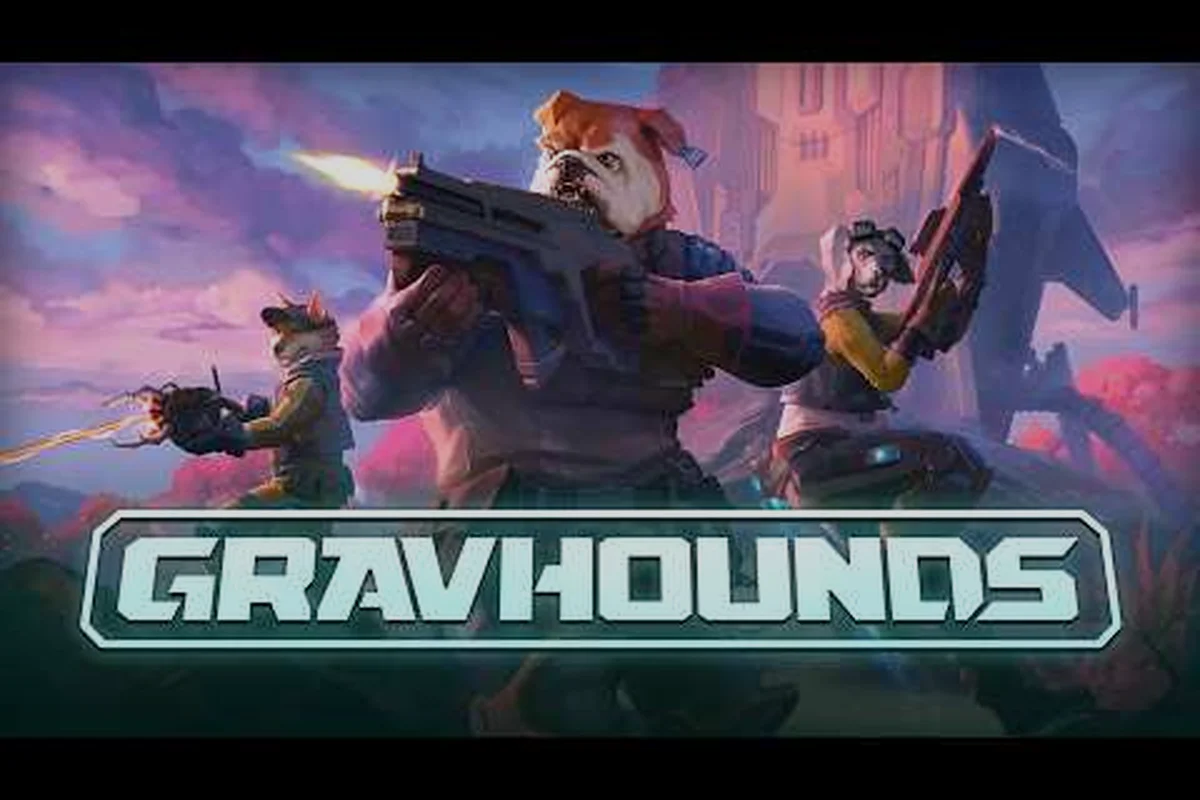
Yes—GRAVHOUNDS supports crossplay between PC and Xbox, placing both platforms in the same co-op matchmaking ecosystem. That means a PC player can join an Xbox party and coordinate roles such as Tank, DPS, and Healer without splitting the group by platform. Matchmaking may still affect who appears in the queue, so forming a party beforehand is the most reliable way to secure a two-player or three-player session with a specific teammate and maintain the intended role composition.
Crossplay Support and Platform Details
GRAVHOUNDS supports PC-to-Xbox crossplay, allowing friends on different platforms to enter the same multiplayer session. That matters because it removes the need to split parties whenever your group includes PC players, Xbox players, or a mixture of both. The official Xbox gameplay overview confirms the game’s multiplayer orientation, while party and matchmaking details may vary as the service evolves.
Crossplay is about connectivity, not identical hardware performance. A PC player may have a different frame rate, resolution, or control setup, but the core party features remain available across platforms. Before launching, make sure every player has updated the game, enabled online services, and can access the multiplayer mode.
| Platform combination | Crossplay status | What players need |
|---|---|---|
| PC and Xbox | Supported | Updated game client and online access |
| PC and PC | Supported through online multiplayer | Online-enabled accounts and access to matchmaking |
| Xbox and Xbox | Supported through online multiplayer | Online-enabled Xbox accounts and multiplayer access |
| Offline and online | Not applicable to an online session | Separate offline activity is required |
What the official gameplay overview confirms
The official GRAVHOUNDS gameplay overview on YouTube is published by ID@XBOX and provides an authoritative look at the game’s multiplayer features. It is particularly useful for confirming that GRAVHOUNDS is intended as a social co-op experience rather than a strictly single-platform release.
The video does not make platform-specific performance guarantees for every configuration, so players should treat crossplay as confirmed while checking their own connection and settings before a session. Crossplay status means friends can match together; it does not guarantee identical visual quality on every device.
When crossplay is the easiest option
Crossplay is most valuable when your available group changes frequently. A two-person session can include one PC player and one Xbox player without changing the game, while a larger party can add whichever devices its members own. This makes mixed-platform groups easier to organize than platform-locked groups.
It also helps when the group wants to continue after someone’s schedule changes. Instead of rebuilding a party because one member owns a different console, the same matchmaking options remain available. The broader four-player co-op guide explains how party size changes the practical demands placed on every teammate.
GRAVHOUNDS Matchmaking and Party Setup
GRAVHOUNDS matchmaking brings eligible players into a session, but a good crossplay experience also depends on how the party is assembled. Players should decide whether they want a quick public match or a private session with a specific group before spending time on menu navigation.
Private parties give the group more control over who enters the run. That is usually the better option for scheduled co-op, while public matchmaking works well when the group is flexible and wants action immediately. The distinction becomes especially useful with a cross-platform invite.
| Setup method | Best for | Main advantage | Main limitation |
|---|---|---|---|
| Public matchmaking | Players without a fixed group | Faster access to a populated queue | Teammates may not know one another |
| Private party | Friends across PC and Xbox | Easier control of party membership | Everyone must be available and ready |
| Mixed public/private play | Groups with flexible members | Lets friends stay together while others join | Requires more attention to party settings |
Preparing the party before searching
Begin by confirming that each member owns or can access GRAVHOUNDS on the platform they plan to use. Then check that online multiplayer is enabled, the account has completed any required setup, and every client is updated. These checks take less time than repeatedly rejoining a failed session.
Next, agree on the session size. Two-player sessions generally offer a more focused experience because communication is direct and responsibilities are easier to divide. Three-player sessions create more opportunities for specialization, although one member must still confirm that all players are ready before the search begins.
For useful baseline controls, the general gameplay tips guide can help new players understand movement, interactions, and combat before they enter a busy multiplayer lobby. In practice, use it to rehearse the core loop—movement, object interaction, and combat—rather than assuming matchmaking will handle role coordination for you. A quick test run can expose confusing controls or an incomplete co-op setup before you spend time creating a party, choosing a two-player or three-player session, and searching for other GRAVHOUNDS players.
Handling invitations and readiness
Invitations should be sent through the platform account that belongs to the invited player. Avoid switching accounts midway through the process because that can leave the party state unclear. If someone does not appear, confirm that their invitation was sent to the correct profile and that they have accepted it.
Once the party is assembled, use the in-game readiness state rather than relying solely on voice chat. A visible ready status helps when one player is using headphones and another is relying on text or nearby conversation. In a mixed-platform party, consistent readiness checks also prevent a PC-only or Xbox-only subgroup from starting separately.
Co-op Roles for Two and Three Players
Every co-op role should support the party’s immediate objective instead of creating a rigid job no one else can perform. GRAVHOUNDS co op roles are most effective when players communicate, cover one another, and remain willing to switch tasks when the situation changes.
A useful planning method is to assign responsibility by current need. One player may handle immediate combat while another gathers resources, but both should know where to regroup and when the priority changes. This flexible approach works for two-player co-op and provides a practical foundation for three-player co-op.
| Party size | Practical role split | Primary focus | Coordination challenge |
|---|---|---|---|
| 2 players | Fighter and support player | Combat coverage plus resource handling | Both players must notice threats quickly |
| 3 players | Fighter, gatherer, and support player | Damage, collection, and recovery | Extra jobs can split the party’s attention |
| 4 players | Tactical lead plus flexible specialists | Shared objectives with clear priorities | Role overlap can cause hesitation |
Two-player co-op roles
In a two-person group, simplicity is a major advantage. One player can focus on direct engagements while the other gathers materials, manages equipment, or provides support. The arrangement should not be permanent, because emergencies can change which task matters most.
Combat anchor players create space for their partner by handling immediate threats. The resource partner keeps the group supplied and prepares for recovery situations. When danger increases, both should be willing to assist rather than remaining locked to their assigned labels.
This setup makes gravhounds 2 player co op especially approachable. Communication can stay short and practical: call out an approaching threat, mark a supply need, or announce when regrouping at the safest available location. Simple messages preserve attention because the pair has little room to split up.
Three-player co-op roles
A third player adds useful coverage but also introduces more coordination decisions. One option is to divide the group into a fighter, a gatherer, and a support player. Another is to use two combat-oriented players and one flexible support player who handles both resources and emergency needs.
The best arrangement depends on the session’s pace and the group’s communication habits. If one player tends to explore, that player may naturally collect useful information and materials. If another prefers careful positioning, they may excel at controlling threats. Three-way specialization works best when each member understands the other two responsibilities well enough to cover them temporarily.
For broader communication strategies, the teamwork guide provides additional methods for dividing attention, setting priorities, and keeping a party together during active play. In a three-player GRAVHOUNDS squad, assign one player to call threats and revive opportunities, one to track resources and mission objectives, and the third to handle scouting or combat; for example, if the fighter is drawing aggro, the gatherer can collect materials while the support player manages healing or emergency cooldowns. This role-based setup reduces the chance that matchmaking groups become separated while preserving flexibility when one specialist is unavailable.
Practical GRAVHOUNDS Co-op Tips
Strong co-op play depends more on clear priorities than on complex commands. Before a session, agree on the immediate goal, identify who will handle urgent threats, and choose a meeting point for when players become separated. These few decisions reduce confusion once the group enters a dangerous area.
Early warning calls are particularly valuable in crossplay parties because response times can vary. A brief warning about an approaching enemy gives teammates enough time to reposition. Calling exact directions is less useful than identifying the threat and its urgency.
| Situation | Recommended response | Why it helps |
|---|---|---|
| Player becomes separated | Pause the objective and regroup | Prevents one member from carrying the session alone |
| Resources run low | Assign collection before seeking more danger | Keeps the party supplied without unnecessary risk |
| Combat becomes overwhelming | One player creates space while another supports | Splits attention into manageable tasks |
| A task is unclear | Choose the option that keeps the group together | Preserves communication and shared progress |
Communicate in priority order
Notices should follow a simple order: immediate danger, objective progress, and supplies. This keeps the chat focused because the most urgent information always comes first. Players should avoid filling the channel with routine status messages while combat is active, especially when one member may be on mobile network conditions or otherwise has less bandwidth for voice communication.
Voice chat can support crossplay sessions, but calls should remain concise so communication is not delayed by congestion. Saying “enemy,” “regroup,” or “need healing” identifies the immediate GRAVHOUNDS situation without requiring every player to repeat the full sentence. For example, one teammate can report “regroup” before the squad pushes a dangerous encounter, while another confirms “need healing.” When a player is using mobile data or has unstable bandwidth, prioritize short callouts and reserve detailed tactical discussion for the lobby, where platform matchmaking teammates can coordinate more comfortably before the next co-op run.
Protect the party’s shared progress
Base preparation, equipment, and collected resources matter more when several players contribute. A group should avoid leaving one member to manage every task while the others wait. Instead, assign ownership for the current step and make sure it can be handed off if that player must move.
The co-op base building tips explain how to divide construction tasks and choose shared priorities. Even when the session starts as a two-person or three-player party, a simple ownership system prevents duplicated work and forgotten resources.
Crossplay Requirements, Performance, and Troubleshooting
Crossplay availability does not remove the need for stable online connections or compatible game versions. Both PC and Xbox players should keep their clients current, maintain a stable internet connection, and allow enough time for any initial synchronization. A mismatch or weak connection can delay a party even when the platforms are compatible.
PC client access and Xbox services access are the basic platform requirements. The player must also be able to launch the multiplayer mode, accept party invitations, and enter matchmaking. These checks should happen before the group plans a long session so connection problems do not interrupt progress.
| Symptom | Likely area to check | Practical response |
|---|---|---|
| Invite is not received | Invited player account or platform service | Resend the invite to the correct profile |
| Party search cannot begin | Readiness state or client version | Update the game and mark every member ready |
| Voice is unreliable | Network conditions or platform permissions | Switch to text signals and shorten voice use |
| Players cannot see one another | Party connection or platform sign-in | Leave, rejoin, and confirm online status |
| Performance differs between members | Device and settings | Adjust resolution, frame rate, and visual options |
Optimize each platform for multiplayer
PC players should close unnecessary background applications, use a stable wired or strong wireless connection, and verify that their display settings do not cause heavy frame-rate drops. Xbox players should confirm that the console has sufficient storage for updates and that the network connection remains stable during downloads or system updates.
Crossplay sessions can contain different hardware capabilities, so one player having a smoother frame rate does not indicate a matchmaking fault. The performance tips guide provides additional ways to balance visual quality and responsiveness while maintaining stable play.
A reliable recovery checklist
If a party cannot connect, start with the simplest checks. Confirm that each player is online, verify that everyone accepted the invitation, and make sure the game is updated. Then leave the party, recreate it, and try again. This sequence resolves several common setup issues without changing settings that are already working.
Persistent problems may require restarting the console or PC, signing out of the platform account, and checking for service updates. Players should also note whether the issue affects every member or only one account, because that pattern helps distinguish a party problem from a local configuration issue.
A Clear Crossplay Setup Checklist
A reliable crossplay session begins before the first match. The party should confirm platform access, update all clients, establish the intended group size, and assign immediate responsibilities. Players should also agree on how they will communicate when voice chat is unavailable or when someone becomes separated.
Crossplay in GRAVHOUNDS spans PC and Xbox, so a two-player or three-player co-op party can include players on different platforms rather than requiring separate groups by device. Matchmaking handles platform compatibility, but the session itself still relies on practical coordination: for example, one player can focus on gathering resources while the others handle combat, making regrouping after a separation much easier than having everyone pursue the same objective.
-
Install the latest available GRAVHOUNDS update on every device.
-
Sign in to the correct platform account and confirm online access.
-
Create a private party for friends or enter public matchmaking for a flexible group.
-
Choose two-player or three-player objectives based on the available members.
-
Assign combat, gathering, and support responsibilities before searching.
-
Confirm that every member is ready and that the selected mode appears correctly.
-
Regroup at a clear location if the party becomes separated.
-
Review the session afterward to identify communication or role issues.
The central takeaway is straightforward: PC-Xbox crossplay is available, and it lets players organize groups without splitting the party by device. Matchmaking handles platform compatibility, while good co-op results still depend on clear roles, concise communication, and sensible preparation before the session begins.
Frequently Asked Questions
Can PC and Xbox players play GRAVHOUNDS together?
Yes. GRAVHOUNDS supports crossplay between PC and Xbox, allowing friends using different platforms to join the same multiplayer party and session. This means a two-player party can mix PC and Xbox, while larger groups can include both platforms without separating friends into different matches.
Does gravhounds matchmaking put PC and Xbox players together?
Yes, crossplay-compatible matchmaking can pair eligible players across PC and Xbox. Party members should still update their clients, remain ready, and confirm that everyone has joined the same party. If matchmaking stalls, leaving and recreating the party is a sensible first troubleshooting step.
What roles work best for gravhounds 2 player co op?
A combat-and-support split is usually the clearest choice for two players. One handles immediate threats while the other gathers supplies or prepares recovery support, although both should be ready to switch responsibilities. Short warning calls and a designated regrouping location keep the pair coordinated.
Can three players use different roles in GRAVHOUNDS co-op?
Yes. Three-player parties can divide into combat, gathering, and support duties, or use two combat-oriented players with one flexible support member. The best setup depends on communication and play style, so players should define responsibilities before the session and reassign them when threats change.
Do PC and Xbox players need the same game version for crossplay?
Players should keep GRAVHOUNDS updated on their respective platforms and use compatible current releases. Although crossplay connects the two platforms, client or service mismatches can affect invitations and matchmaking. If players cannot see one another, confirm the game is current and everyone is signed into the correct account.