
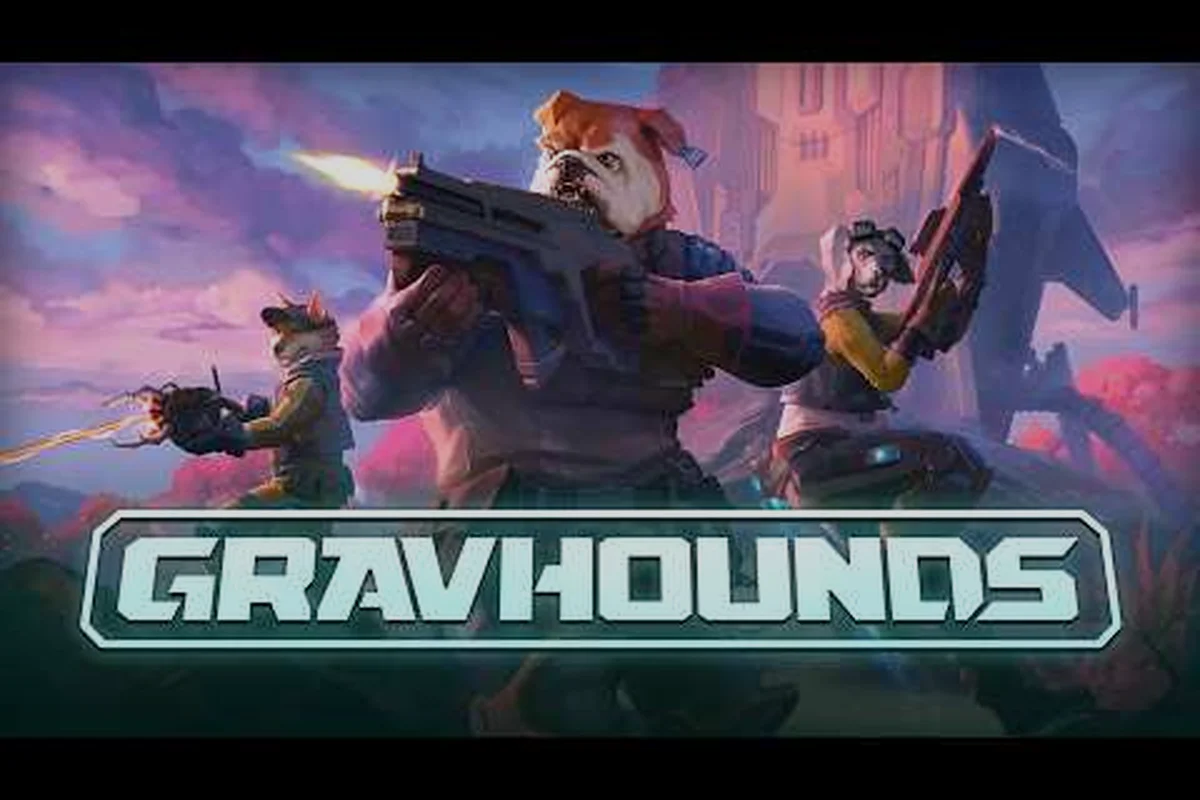
Understanding gravhounds game pass multiplayer matters because the official Xbox preview identifies online co-op for 2–4 players, shared or split screen, and cross-platform multiplayer. This guide explains the confirmed platform details, the PC and Steam Deck situation, and the practical setup choices for playing with friends.
The official listing for GRAVHOUNDS on Xbox describes the game as available on Xbox Series X|S and PC. Its multiplayer features include online co-op, Xbox cross-platform multiplayer, shared and split screen, cloud saves, and Xbox achievements. The store listing also identifies four-player sessions, shared/split-screen support, 4K Ultra HD, HDR10, 60 fps or higher, Xbox Play Anywhere, and optimization for Xbox Series X|S.
That information establishes the broad multiplayer picture, but it does not mean every possible platform combination is currently confirmed. In particular, the preview confirms Xbox Series X|S and PC access, while dedicated servers and a full Steam-to-Xbox cross-play arrangement remain unconfirmed in the available official material. The distinction matters for players deciding where to buy, how to group a party, and whether a Steam Deck setup is realistic right now.
gravhounds game pass multiplayer: what the Xbox preview confirms
The official Xbox preview is the strongest source for current platform details because it is maintained by Microsoft and lists the features attached to the game. It confirms 2–4 player online co-op, Xbox cross-platform multiplayer, and shared/split-screen play, which makes GRAVHOUNDS relevant to both small groups and local sessions. The same page identifies the publisher as Octopus Panic, Inc. and categorizes the game as Shooter, Action & adventure, and Strategy.
| Feature listed for GRAVHOUNDS | Confirmed detail | Practical meaning |
|---|---|---|
| Online co-op | 2–4 players | A group can fill a session without exceeding four participants |
| Xbox multiplayer | Cross-platform multiplayer | The Xbox ecosystem is presented as one multiplayer environment |
| Local display | Shared/split screen | More than one player may be able to use the same display |
| Save features | Cloud saves | Progress can be synchronized across supported Xbox devices |
| Xbox features | Achievements | Progression is tracked through the Xbox achievement system |
| Purchase flexibility | Xbox Play Anywhere | Eligible digital purchases can be supported across Xbox devices and PC |
| Video targets | 4K Ultra HD, HDR10, 60 fps or higher | The hardware target is stated directly on the store page |
| Platform optimization | Xbox Series X/S | The current preview is optimized for both current Xbox console families |
Shared screen and online party support
The presence of both shared/split screen and online co-op gives players two distinct ways to play. Online parties suit players on separate devices, while a shared-screen setup can be useful when everyone is in the same room. These are separate modes, not necessarily a single session that mixes both styles, so check the mode selected in the game before assuming every participant will appear in the same view.
Cross-platform multiplayer is another important label on the official page. In Xbox terminology, this indicates that compatible Xbox devices can participate together rather than being separated by console generation. It should not, however, be expanded into an unverified promise about every PC storefront or every competing launcher. The available listing specifically presents Xbox Series X|S and PC as supported platforms, so it is safest to plan around that documented ecosystem.
Performance and feature checklist
The Xbox preview advertises 60 fps or higher, along with 4K Ultra HD and HDR10. Those specifications describe the intended presentation of the game, although actual results can depend on the mode, device, settings, and network conditions. The listing’s Xbox Series X|S optimization is particularly relevant for players comparing the two current console families.
| Buying consideration | Xbox Series X | Xbox Series S |
|---|---|---|
| Stated optimization | Yes | Yes |
| Resolution target advertised | Up to 4K Ultra HD | Up to 4K Ultra HD on supported output |
| Visual features advertised | HDR10 | HDR10 |
| Frame-rate target advertised | 60 fps or higher | 60 fps or higher |
| Online co-op | Up to 4 players | Up to 4 players |
| Cloud saves | Supported | Supported |
| Xbox Play Anywhere | Listed as a supported feature | Listed as a supported feature |
| Best practical distinction | Stronger performance envelope | More affordable hardware tier |
Because both the gravhounds xbox series x and gravhounds xbox series s are included in the preview’s optimization language, there is no basis for saying that the game is exclusive to one model. The difference comes down to the hardware budget and the settings a console can sustain, not whether multiplayer is available.
For a visual explanation of the game itself, the official GRAVHOUNDS gameplay overview by ID@Xbox provides a four-minute, 22-second overview. It is useful for seeing the game’s presentation, while the Xbox store page remains the better reference for the current multiplayer and platform claims discussed here.
Xbox Series X|S and PC setup for gravhounds game pass multiplayer
Planning gravhounds game pass multiplayer sessions starts with the platform rather than the controls. The preview confirms Xbox Series X|S and PC, so a party can be formed across those supported devices according to the cross-platform multiplayer listing. A player wanting a platform-specific purchase path or save details can compare the access choices in the solo-play and Game Pass overview.
Choosing Xbox or PC
Xbox is the clearest choice for players who want a console-native experience. The preview confirms achievements, cloud saves, shared/split screen, and optimization for both current Xbox console families. It also supports the idea of starting a session on one compatible Xbox device and continuing through the broader Xbox account environment, although the exact device combination still needs to meet the game’s current requirements.
PC offers a different practical benefit: it can work with different hardware and display setups. The official listing identifies PC as a supported platform and includes Xbox Play Anywhere among its features. That can be valuable for a group with one console player and one PC player, provided both use the same GRAVHOUNDS build and can access compatible services.
| Setup priority | Xbox Series X/S | PC |
|---|---|---|
| Online co-op availability | Confirmed for up to 4 players | Confirmed by the official preview |
| Cross-platform party | Confirmed within supported Xbox/PC multiplayer | Confirmed within supported Xbox/PC multiplayer |
| Shared/split screen | Listed as supported | Depends on the PC build and local setup |
| Cloud saves | Listed as supported | Available where the supported PC integration applies |
| Achievements | Xbox achievements listed | Xbox achievements may apply when using supported PC access |
| Hardware flexibility | Fixed to the selected console model | Broad, but limited by the individual PC |
| Best fit | Living-room console group | Mixed-console group or performance-conscious player |
The useful distinction is that platform access, cross-platform multiplayer, and Game Pass inclusion are separate questions. The preview confirms that GRAVHOUNDS is playable on Xbox Series X|S and PC with cross-platform multiplayer. It does not, by itself, prove that the game is included in a particular subscription tier on every release day. Always confirm the current catalog status in your local storefront before purchasing.
Preparing a console party
A reliable console setup begins with updates and account access. Update the console, sign each account into Xbox, confirm that the required multiplayer option is available in the GRAVHOUNDS launch options, and create or join the party before starting the activity. Each participant should also have the correct regional language or voice settings if communication depends on in-game audio.
For the first session, use the four-player capacity as a deliberate group target rather than adding players automatically. Open any required lobby or session menus before loading in, make sure each player can see the same invite, and test whether the group wants shared/split screen or fully online play. Those choices can affect the number of devices and displays needed.
If one player owns the game and others need access, verify Xbox Play Anywhere eligibility before the session. The store listing advertises the feature, but purchase and entitlement rules can vary by title, region, and edition. A simple entitlement check on each device is more reliable than assuming guest access will work on the first try.
Preparing the PC player
PC players should verify the installed build, update the launcher, and sign in to an account entitled to play GRAVHOUNDS. If the PC build uses Xbox services for multiplayer, make sure the game recognizes the signed-in profile before attempting to join friends. Keep the game and launcher on the same network where possible, and avoid changing unrelated graphics or networking settings during the first session.
The listing’s 60 fps or higher target should be treated as a platform goal, not a guaranteed minimum at every setting. Players who want the smoothest experience should test the preferred resolution, display mode, and controller configuration before the group starts. The four-player co-op guide is useful for thinking through how a complete team changes communication and pacing.
gravhounds pc game pass and subscription availability
The official preview establishes PC playability, but it does not publish a permanent statement that GRAVHOUNDS will remain inside Game Pass after its preview period. For gravhounds pc game pass planning, the safest approach is to treat subscription status as a moving storefront detail rather than a permanent feature. The current catalog entry should be checked immediately before download or purchase.
What PC access means
A PC installation can fit several account and ownership arrangements. Depending on the release configuration, access may come through a Game Pass entitlement, an Xbox Store purchase with Play Anywhere support, or another storefront build. The official listing identifies PC and Xbox Play Anywhere, but those facts do not eliminate the need to check which entitlement is attached to the account.
| Access route | What to verify | Who benefits most |
|---|---|---|
| Game Pass on Xbox | The title appears in the installed library and supports online co-op | Console players already subscribed |
| Game Pass on PC | The title appears through the Microsoft PC library | PC players already subscribed |
| Xbox Store purchase | The selected edition includes PC access | Players who want permanent ownership |
| Xbox Play Anywhere | The same digital entitlement applies on supported Xbox and PC devices | Mixed Xbox/PC groups |
| Family or shared access | The account permissions permit the required multiplayer services | Households sharing one console |
Microsoft’s catalog can change during a preview because the game may be listed as a preview, included temporarily, or offered through a specific purchase path. Use the store listing linked above as the starting point, but confirm the final price, ownership terms, and Game Pass status at checkout.
Cross-play setup checklist
Before trying to mix platforms, confirm each piece in sequence rather than troubleshooting the game after a failed invite. This matters because GRAVHOUNDS Game Pass multiplayer can fail at either the account-entitlement stage or the lobby stage, and the symptoms look similar: the invite never appears, the recipient cannot join, or a shared/split-screen session remains disconnected. For example, if an Xbox Series X|S player can open the GRAVHOUNDS lobby but a PC Game Pass player never receives the invite, the issue may involve the Microsoft account or game ownership rather than the Xbox Series S client itself. Testing one participant at a time helps isolate whether the problem follows a specific account, console, or PC build.
-
Open the official store listing on both Xbox and PC and verify that GRAVHOUNDS appears for the intended region.
-
Update the console, Windows environment, and GRAVHOUNDS client to their latest available versions.
-
Sign into the correct Microsoft account on every participating device.
-
Confirm that every account owns or can access the game.
-
Invite one online player first, then add the rest of the group.
-
Test shared/split screen and fully online sessions separately if both are important to the group.
-
Record any error message or failed invitation step before restarting the console or PC.
This sequence separates entitlement problems from lobby or party problems in GRAVHOUNDS Game Pass multiplayer. If the Xbox Series X|S player can host while the PC Game Pass player cannot see the invitation, test game ownership and Microsoft account linking before changing lobby settings; an invitation that never appears points toward account entitlement, whereas a visible invite that fails on entry suggests a lobby, party, or platform build issue. Repeating the same test with a second account can confirm whether the fault follows the account, the Xbox Series S client, the PC Game Pass installation, or the cross-platform session itself.
Buying for the whole group
A mixed group should not assume the person with the largest storage allowance can host every version of the game. If the preview’s Xbox Play Anywhere feature applies to the selected purchase, one eligible digital purchase may cover supported Xbox and PC devices. If it does not apply to that region or edition, each device still needs access.
| Group situation | Most practical approach |
|---|---|
| Four players on Xbox | Use the confirmed 2–4 player online co-op capacity |
| Two Xbox players and two PC players | Form one supported cross-platform group, then verify invitations in order |
| Players in one room | Use shared/split screen if that mode suits the session |
| One PC player without a console copy | Verify PC entitlement or the Play Anywhere purchase path first |
| Group with different subscription accounts | Confirm each account can launch the game before matchmaking |
This table matters because gravhounds pc game pass access can be account-specific even when the game itself supports cross-platform multiplayer. A successful party invitation only proves connectivity after every participant has cleared the ownership and sign-in checks.
gravhounds steam deck compatibility and multiplayer limits
The supplied official sources confirm PC support, but they do not identify a verified Steam Deck compatibility rating or confirm that the game is distributed through Steam. That distinction is essential when researching gravhounds steam deck support: PC compatibility does not automatically mean Steam Deck compatibility.
A Steam Deck can run some Windows games through Proton, but the experience depends on the storefront build, shader support, controller behavior, anti-cheat requirements, and the game’s actual settings. Since GRAVHOUNDS does not appear in the verified source set used for this guide, any Deck-specific claim should be treated as based on community testing until the developer or storefront lists a confirmed status.
What is confirmed and what is not
| Steam Deck question | Current evidence for this guide | Safe conclusion |
|---|---|---|
| Is PC supported? | Yes, confirmed by the Xbox preview | GRAVHOUNDS has an official PC release path |
| Is Steam the PC storefront? | Not confirmed in the available sources | Do not assume a Steam page or Steam library exists |
| Is there a Steam Deck rating? | Not listed in the verified source data | No verified Deck rating can be claimed |
| Can a Deck join Xbox/PC cross-play? | Not yet confirmed | Requires evidence about the specific PC build and services |
| Does Proton work? | No verified test result supplied | Treat community results as platform-specific, not guaranteed |
| Can four players gather through Steam? | Not confirmed | The confirmed four-player support is platform-specific |
| Is a Steam Deck a practical host? | Unverified | Consider it experimental until local performance and matchmaking are tested |
The safest buying advice is to avoid purchasing a PC copy solely because a device can run other Windows games. Verify that GRAVHOUNDS is sold in the storefront you intend to use, whether the build supports the required multiplayer services, and whether your account can synchronize or join an Xbox-supported session.
Running a local test
If a PC build is available through a verified storefront, test it on the Deck before a scheduled session. Begin with the default settings, then test the resolution, frame-rate cap, controller mapping, and network stability. Increase visual settings only after confirming that the game reaches the menu, joins a test lobby, and maintains a stable session with the other participants.
A successful offline launch is not enough. The useful test includes creating or accepting an invitation, completing the first activity, and reconnecting after a brief network interruption. That process reveals whether the issue is rendering performance, input configuration, authentication, or the multiplayer service itself.
Cross-platform uncertainty
The available evidence supports a statement that GRAVHOUNDS is playable on Xbox Series X|S and PC with cross-platform multiplayer. It does not support a broader statement that Steam, Deck, Xbox, and every PC storefront are mutually connected. The Steam-versus-Xbox and lobby guide explains why those are separate questions: a PC release, a Steam release, and cross-play support represent different layers of platform compatibility.
Players should also remember that the gravhounds steam deck keyword has strong search interest because handheld PC gaming is popular, but search demand is not proof of official support. Treat a compatible build as useful only after the storefront, multiplayer entitlement, controller setup, and performance have all been confirmed.
Practical party setup and troubleshooting for four-player sessions
A smooth GRAVHOUNDS multiplayer party depends more on preparation than on the number of people invited. The preview confirms up to four players, so the largest supported group fits into one session. Decide the display arrangement, test the service, and assign responsibilities before the activity begins.
Pre-Game Entitlement and Network Checks
Each player should own the correct entitlement, have launched the game successfully, and joined the same platform network. The party host should create a clean session without adding unnecessary friends from the account list. This reduces the chance of an unintended invite or a mistaken platform grouping.
| Time before play | Preparation task | Reason it matters |
|---|---|---|
| 24 hours earlier | Confirm the platform, storefront, and access route | Avoid discovering an entitlement problem at session time |
| A few hours earlier | Install updates and test a short invite | Separate patches from account or lobby failures |
| 30 minutes earlier | Charge controllers and check controller assignments | Prevent input conflicts and interruptions |
| 10 minutes earlier | Join the party and confirm every voice channel | Establish who can hear whom before the activity begins |
| Immediately before | Load in and verify the player count | Ensure the group is on the same mode and session |
Because four-player support is confirmed, four-player lobby capacity is a practical reason to test with the full group before a longer session. Larger communities should not create an oversized party and then remove players at the last minute, because invite cleanup can interrupt the host’s setup flow.
Handling a failed invitation
Work from the simplest case to the most complex one. First, confirm that the invited player has launched GRAVHOUNDS and is online. Next, check that both accounts are on the same regional network and have access to the game. Then test whether a direct invite works before trying another player or another session.
| Symptom | Likely area | Action |
|---|---|---|
| Friend appears offline | Account or presence state | Ask the player to confirm console or PC network status |
| Invite never arrives | Party, privacy, or entitlement | Check blocked users and launch the game manually |
| Player appears but cannot join | Platform or build mismatch | Compare store, region, game version, and service account |
| Shared screen is blank | Display or local mode | Exit and re-enter the local session with a new arrangement |
| Session disconnects repeatedly | Network stability | Move to Ethernet where possible and test a smaller group |
| Progress is missing | Save synchronization | Check cloud status and whether the same account is active |
These checks isolate the failed invitation by separating GRAVHOUNDS party creation from storefront and service-account access. The store page’s 2–4 player capacity identifies the maximum party size, not a guarantee that every Xbox Game Pass, PC Game Pass, or Steam Deck configuration can join the same session. For example, a Game Pass player may receive the invite but still fail to connect if the host is using a different platform build or regional network, so compare the store, game version, service account, and network region before treating the invitation as fully successful.
Communication and shared-screen etiquette
Local co-op works best when players agree on voice chat before the session starts. Each person should know which display section they are using, whether the game supports independent input in that mode, and who will pause if a menu needs attention. A separate party voice channel can help when shared-screen audio makes spatial cues difficult.
For online groups, keep the group chat brief and specific. Mark unavailable players, call out platform changes, and avoid changing accounts mid-session. If the group uses both Xbox and PC, confirm each participant sees the same invite rather than assuming the shared list proves that every account can connect.
Final platform and multiplayer takeaways
The clearest answer for gravhounds game pass multiplayer is that GRAVHOUNDS supports 2–4 player online co-op, shared/split screen, and cross-platform multiplayer across the Xbox Series X|S and PC platforms listed in the official Xbox preview. The same listing confirms cloud saves, achievements, Xbox Play Anywhere, 4K Ultra HD, HDR10, and a 60 fps-or-higher performance target.
Subscription availability and non-Xbox PC distribution require more caution. Check the current storefront before buying, and do not treat Steam Deck compatibility or full Steam-to-Xbox cross-play as confirmed without an official listing or a reliable first-party update. The practical winner depends on your group: Xbox players get a clearly documented console setup, while PC players should verify entitlement, launcher, controller support, and multiplayer compatibility before the session.
Frequently Asked Questions
Can you play GRAVHOUNDS multiplayer on Game Pass?
GRAVHOUNDS supports 2–4 player online co-op, and the official Xbox preview lists PC access alongside Xbox Series X|S. Game Pass availability can change during preview periods, so confirm the title in your local Microsoft library before download. The gameplay feature list is confirmed; the permanent subscription status is storefront-dependent.
Does GRAVHOUNDS support cross-platform multiplayer on Xbox and PC?
Yes, according to the official Xbox preview, GRAVHOUNDS includes cross-platform multiplayer between its listed Xbox Series X|S and PC versions. That does not automatically establish Steam-to-Xbox cross-play. Players should also confirm that each account owns access to the same compatible game build before joining a session.
Is GRAVHOUNDS available on Xbox Series X and Xbox Series S?
The official preview identifies Xbox Series X|S as an optimized platform and lists both console families in the product title. It also advertises 4K Ultra HD, HDR10, and 60 fps or higher. Actual visual output depends on the selected settings and display, but multiplayer availability is not listed as exclusive to either model.
Does GRAVHOUNDS work on Steam Deck?
PC support is confirmed, but a verified Steam Deck compatibility rating and confirmed Steam distribution are not included in the available official information. A Deck should therefore be treated as unconfirmed until the specific PC build, multiplayer services, controller support, and performance are tested. Platform-wide Windows compatibility does not guarantee a smooth handheld experience.
How many players can join a GRAVHOUNDS co-op session?
The official Xbox preview confirms online co-op for 2–4 players. It also lists shared and split-screen options, which can suit players gathered around one display. The four-player maximum applies to online sessions as documented; invite handling, shared-screen arrangements, and cross-platform access should still be verified for the specific session.